

Ever lost sight of your pet even for a moment? The Tile Pet Tracker helps you keep an eye on your furry friend with ease. Just clip it to their collar and check your phone to see where they were last seen. We tried it out in open areas and with help from nearby users, and it worked well. Reliable pet tracking has never been this simple or stress-free.
How the Tile Pet Tracker Functions for Pets
Tile is a simple Bluetooth tracker made to help you find everyday items like keys, wallets, or bikes. Clip a Tile onto your pet's collar, and it sends its last seen location to your phone using the Tile app. It works best in open spaces, covering about 75-120 meters (100-500 feet), so it's best for pets that stay close by.
Tile works by sending out basic Bluetooth signals. If your pet moves out of range, nearby Tile users help update its location anonymously. The app then shows the most recent spot from either your pet's own connection or another user's device. This mix of Bluetooth and crowd help is used across all models, including Pro, Mate, Slim, and Sticker.
| Feature | Description |
|---|---|
| Map View | Shows your pet’s last known location |
| Sound Alerts | Plays sounds to help find the tracker nearby |
| Crowd GPS | Updates the location when out of Bluetooth range |
| Smartphone Notifications | Keeps you informed about any updates |
| Multiple Models | Options available for various needs |
Tile is best suited for indoor settings or for pets that don’t wander far. Its Bluetooth setup and help from nearby users work well in areas with few obstacles.
Pairing Your Tile Pet Tracker With Your Pet’s Collar
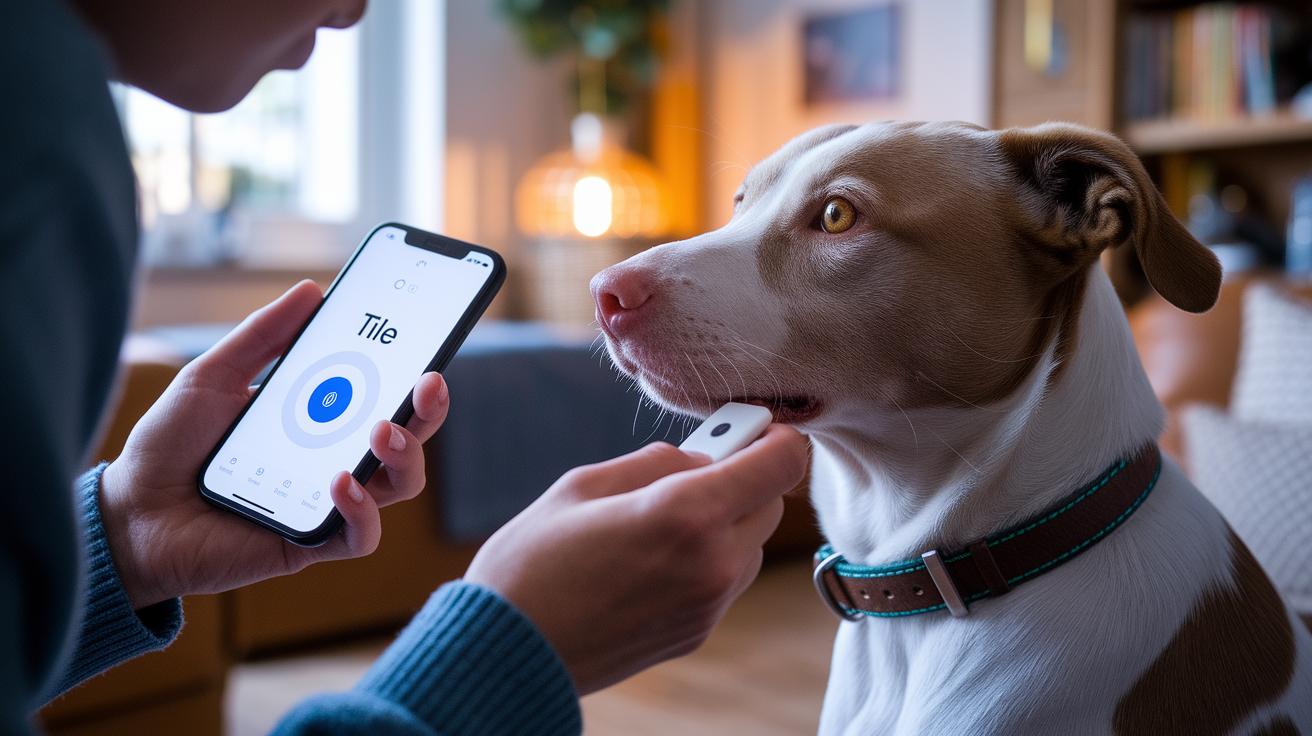
First, download the Tile app on your iOS or Android device and create an account. After you sign in, tap the + icon to add your new device. The process is easy and takes less than a minute when your Tile is close to your phone.
• Fast and clear setup:
- Securely attach the Tile to your pet's collar so it stays in place during movement.
- Turn on your phone's Bluetooth and press the Tile’s button until you hear a ring.
- Follow the simple instructions in the app to name and tag the device for easy recognition.
- Test the connection by using the sound feature and checking the map to see the tag.
This straightforward setup works well on both iPhone and Android. If you run into any issues, the app offers clear tips like checking your Bluetooth settings or restarting the Tile to help you quickly get back on track.
Tile Pet Tracker Range and Network Dependence
Tile pet trackers work best in open spaces where Bluetooth can reach about 75 to 120 meters (100 to 500 feet). In a park or similar area, you will get a clear update on your pet’s last known location. Indoors or in crowded urban spots with walls and furniture, the range drops. If your app takes a long time to update, check for nearby obstacles or weak signal spots.
The Tile Network helps by using check-ins from other Tile devices to update your pet’s location when it moves out of the Bluetooth range. Since there is no built-in GPS, the tracker depends on regular Bluetooth connections. If you notice the location isn’t updating, try moving to an open area, updating the tracker’s firmware, or making sure your smartphone supports the latest Bluetooth version.
- Tag model and its built-in features
- Physical obstacles like walls and furniture
- The number of active Tile users nearby
- Smartphone Bluetooth version (ensure it supports modern standards)
- Battery levels on both the tracker and your phone
- Firmware updates to improve connectivity and fix glitches
For pets that roam freely outdoors, remember that while the tracker works well with nearby devices and in areas with many Tile users, it does not offer constant real-time tracking. For better performance, reduce indoor obstacles, keep your firmware updated, and verify that your smartphone is compatible.
Tile Pet Tracker vs GPS Pet Trackers: A Comparison

Tile pet trackers work with Bluetooth signals and rely on other nearby Tile users to help locate your pet. In simple terms, it helps you track items without a subscription, but only when other Tile users are close by. On the other hand, dedicated GPS pet trackers use satellites to provide live location updates no matter where your pet roams.
| Feature | Tile Pet Tracker | GPS Pet Tracker |
|---|---|---|
| Range | 75–120 m (limited by Bluetooth and obstacles) | Unlimited range with satellite coverage |
| Real-time updates | Updates only when in Bluetooth range or via crowd help | Continuous live updates |
| Subscription requirement | No fees | Monthly fee required |
| Activity monitoring | None | Offers activity and sleep tracking |
Tile trackers are an affordable choice at about $29.99 for a one-time purchase. They work best in and around your home where other Tile users are nearby. However, if your pet likes to wander far or into areas with obstacles, you might find it loses connection.
GPS pet trackers, such as those from PitPat and Tractive, are made for active pets. They start at around $50–$100 and usually come with a small monthly fee of about $5–$10. These trackers give you real-time updates and can even monitor your pet’s activity. They are a better match for energetic pets or those prone to roam. Real-world use shows that while Tile works well in crowded settings, GPS trackers stay reliable over long distances.
Pricing Breakdown for Tile Pet Tracker Models
Tile trackers are easy to find from trusted outlets like Tile.com, Amazon, and your local electronics stores. Their prices are clear, so you know exactly what you're getting. Each model fits different needs while keeping your budget in mind.
Tile Mate costs $29.99. This little, sturdy tracker works great on pet collars or keys.
Tile Slim is available for $34.99. Its slim and sleek design makes it perfect for slipping into a wallet or suitcase.
Tile Pro is priced at $39.99. It has a stronger range, which is ideal for active pets or items that need extra attention.
The Tile Sticker comes as a two-pack for $29.99. This small, adhesive tracker is best for items like backpacks or a spare pet collar.
Watch out for seasonal deals and promo codes during holiday sales or online specials. Retailers sometimes offer multi-pack bundles and limited-time discounts that can make these trackers even more wallet-friendly.
Battery Performance and Maintenance for Tile Pet Tracker

For users of Tile Mate, Slim, or Sticker, the tracker runs on a small CR1632 battery that lasts about one year and cannot be replaced. Tile Pro, however, comes with a rechargeable battery that also lasts around one year but needs charging with a micro-USB cable. Both choices offer similar battery life, so you can pick the one that best fits your routine.
- Keep the tracker away from very hot or very cold weather to protect the battery.
- Check the battery status using the app on a regular basis.
- Update the firmware when prompted to improve efficiency.
- Follow the recommended charging cycles to get the most out of the rechargeable option.
- Store the tracker as suggested when you're not using it to help preserve battery life.
The Tile app will notify you when the battery is running low.
Tile Pet Tracker: Reliable Pet Tracking Made Easy
Resolving Connection Failures
If your Tile tag does not show up in the app, try restarting your phone's Bluetooth first. Turn it off, then back on to refresh the connection. If that does not work, remove the tag from your account and add it again following the app directions. You can also try resetting the Tile itself by pressing its button until you hear a ring. This quick reset often clears up minor glitches and gets the tag working again.
Firmware and App Updates
An outdated firmware or app version can make your tag communicate poorly. Open the Tile app and see if there is an update available for the tag's firmware. If you get a prompt, update immediately to keep the tracker working at its best. Also, check that your phone has the latest version of the Tile app. Keeping both the firmware and software current can stop many common connectivity problems.
Emergency Notification Features
When your pet is missing, the "Notify When Found" feature is essential. This function sends an alert to nearby Tile users, so someone might update your pet's location. You can also set up custom alerts and safe zones (geo-fencing). For example, you can have the app notify you if your pet leaves a designated area. This extra measure helps you keep a closer eye on your pet's whereabouts, especially in emergencies.
Offline Workarounds
If your pet moves out of areas with active network coverage, you still have a few tricks. Check the tag's recent location history in the app to see where it last connected. You can also use the option to sound the Tile manually if you believe it's close by. These offline methods can be very useful until you regain a good connection or another Tile user updates the location.
Final Words
In the action, we explored how the tile pet tracker works through Bluetooth signals, crowd-sourced location updates, and an easy-to-use app interface. We touched on pairing the tracker to your pet’s collar, range challenges, pricing, battery upkeep, and troubleshooting steps.
This review gives you clear guidance to make a safe, value-driven pet product decision. Enjoy confident pet tracking that fits your pet’s needs and lifestyle, keeping them secure and letting you focus on what matters most.
FAQ
Does a Tile tracker work for pets?
The Tile tracker works for pets by attaching to their collar and using Bluetooth to record a pet’s last known location, along with crowd-sourced updates from nearby Tile users when out of range.
What is the best Tile pet tracker?
The best Tile pet tracker varies by pet needs. Models like Tile Pro and Mate offer clear sound alerts, reliable location updates, and community feedback, making them practical for indoor and low-activity pets.
How does the Tile pet tracker app work?
The Tile pet tracker app shows your pet’s last detected location via Bluetooth, plays sound alerts on command, and updates the map when other Tile users pass by, helping locate your pet quickly.
Is Tile or AirTag better for dogs?
The choice between Tile and AirTag for dogs depends on tracking features. Tile offers crowd-sourced updates and sound alerts, while AirTag integrates well with Apple devices and may offer more precise location in dense areas.
What is the best pet GPS tracker?
The best pet GPS tracker usually offers real-time monitoring and extended range. Dedicated devices like Tractive provide continuous location tracking and activity insights, though they generally require a monthly subscription for their service.
How much does a Life360 pet tracker cost?
The Life360 pet tracker cost typically includes a device purchase plus a monthly subscription fee, which usually ranges between $5 and $10, depending on the plan and features selected.
What are the differences between Tile and Life360 pet trackers?
The differences lie in technology and pricing. Tile uses Bluetooth and community updates with no subscriptions, while Life360 products often focus on family tracking features and include monthly service fees.
How does Jiobit pet tracker compare to Tile pet tracker?
The Jiobit pet tracker uses real-time GPS tracking through cellular networks for continuous monitoring, contrasting with Tile’s Bluetooth method and community updates, which may suit less active or indoor pets better.